

Why Turbosawmill / Portable swing-blade sawmills
Why Turbosawmill?
Less handling.
More milling.
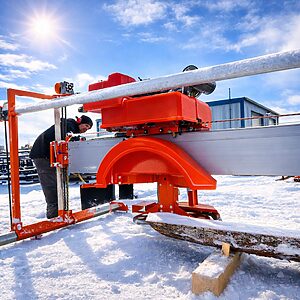
A Turbosawmill portable swing-blade sawmill combines one circular blade with an open-sided monorail frame. Cut boards and beams directly from the log, change your cutting pattern, and move finished timber out through the open side.
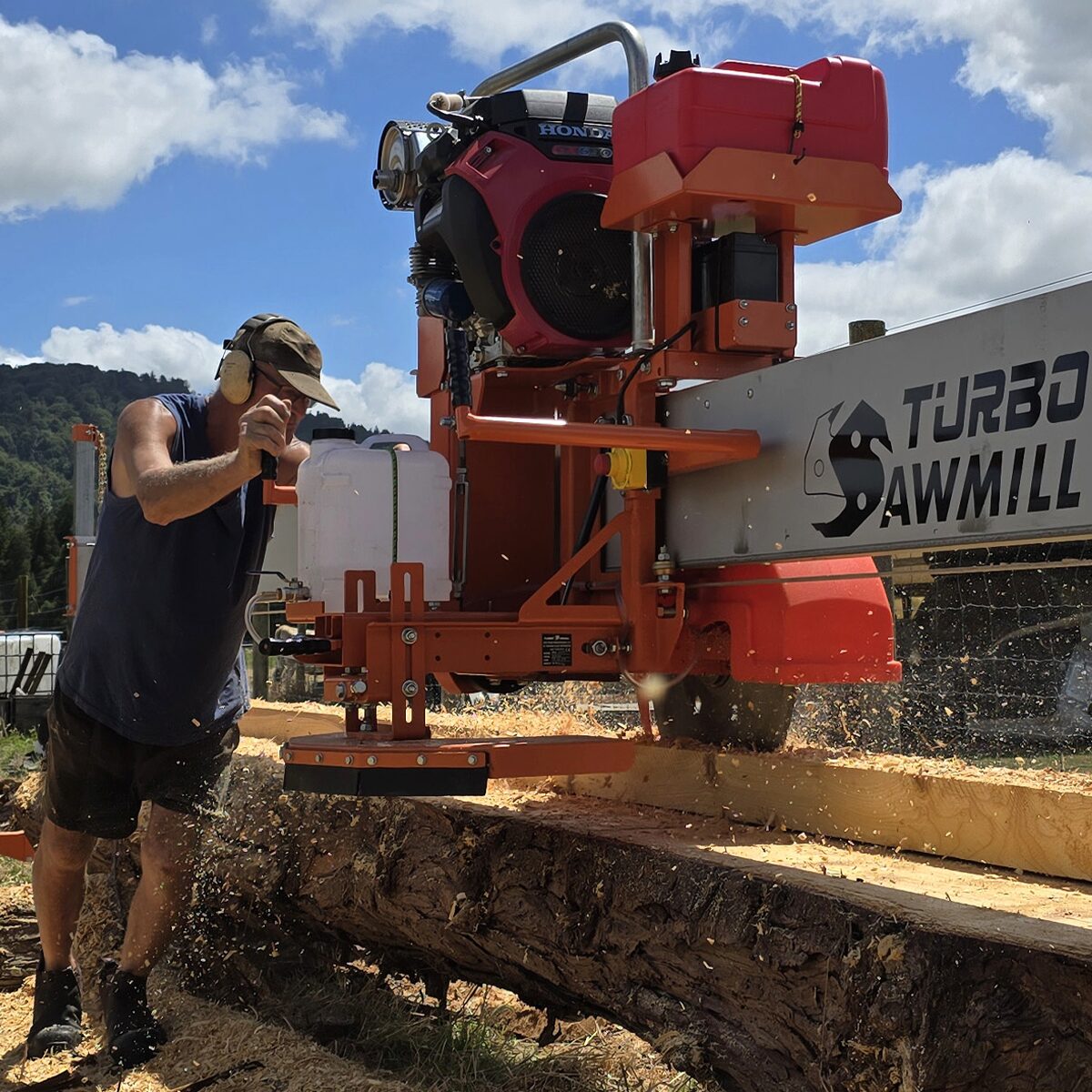
Open-side access
Room to load logs and remove timber.
One blade. Two planes.
Switch between horizontal and vertical cuts.
Your level of automation
Choose manual milling or a powered setup.
01 / The monorail difference
Open the side.
Open up your workflow.
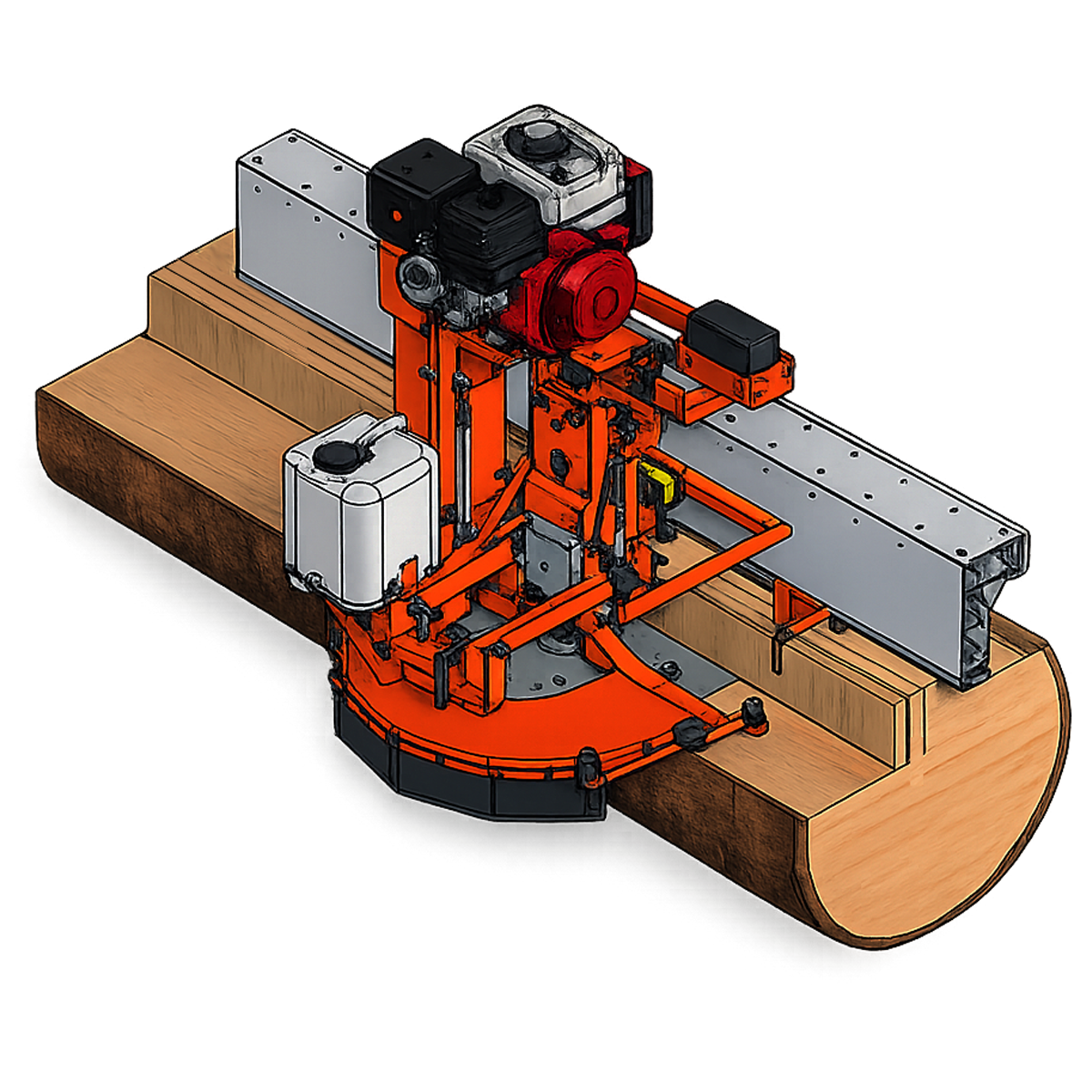
The single-beam design keeps the working side clear. Instead of threading finished timber through a frame, you can move it sideways from the log to a nearby stack or suitable handling equipment.
- Direct access to heavy timber
- Position a suitable loader or forklift alongside the work area to support large beams and flitches.
- Less walking around the mill
- An open working side gives you a more direct route between the cutting area and your timber stack.
- Space around large logs
- Set up around the timber and plan your loading, cutting and removal paths together.
Log capacity and handling requirements depend on the model, frame configuration and site setup.
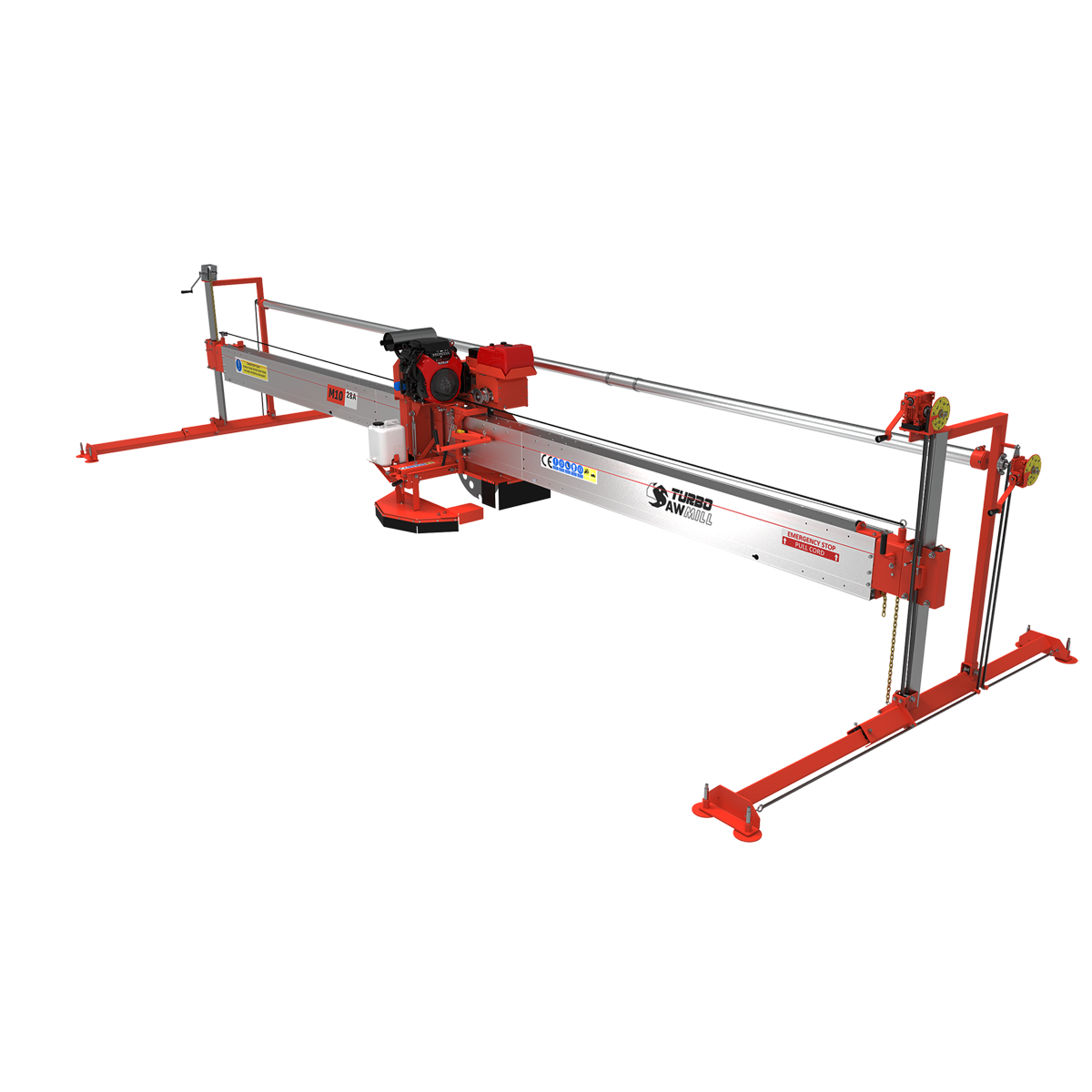
Enlarge the frame diagram ↗
02 / Cutting flexibility
Swing the blade.
Not the log.
A swing blade pivots between horizontal and vertical cutting positions. That lets you produce edged timber from a stationary log and choose a cutting sequence to suit the wood and the finished product.
- Horizontal-first or vertical-first
- Choose which face to cut first, rather than being locked into one sequence.
- Sectional cuts and double cuts
- Take smaller bites in difficult timber or join opposing horizontal cuts for extra width.
- Quarter sawing, flat sawing and taper work
- Adjust the cutting pattern to the grain, log shape and boards you need.
- Production patterns and slab work
- Plan repeated cuts for dimensional timber, or use a compatible slabbing attachment for wider live-edge slabs.
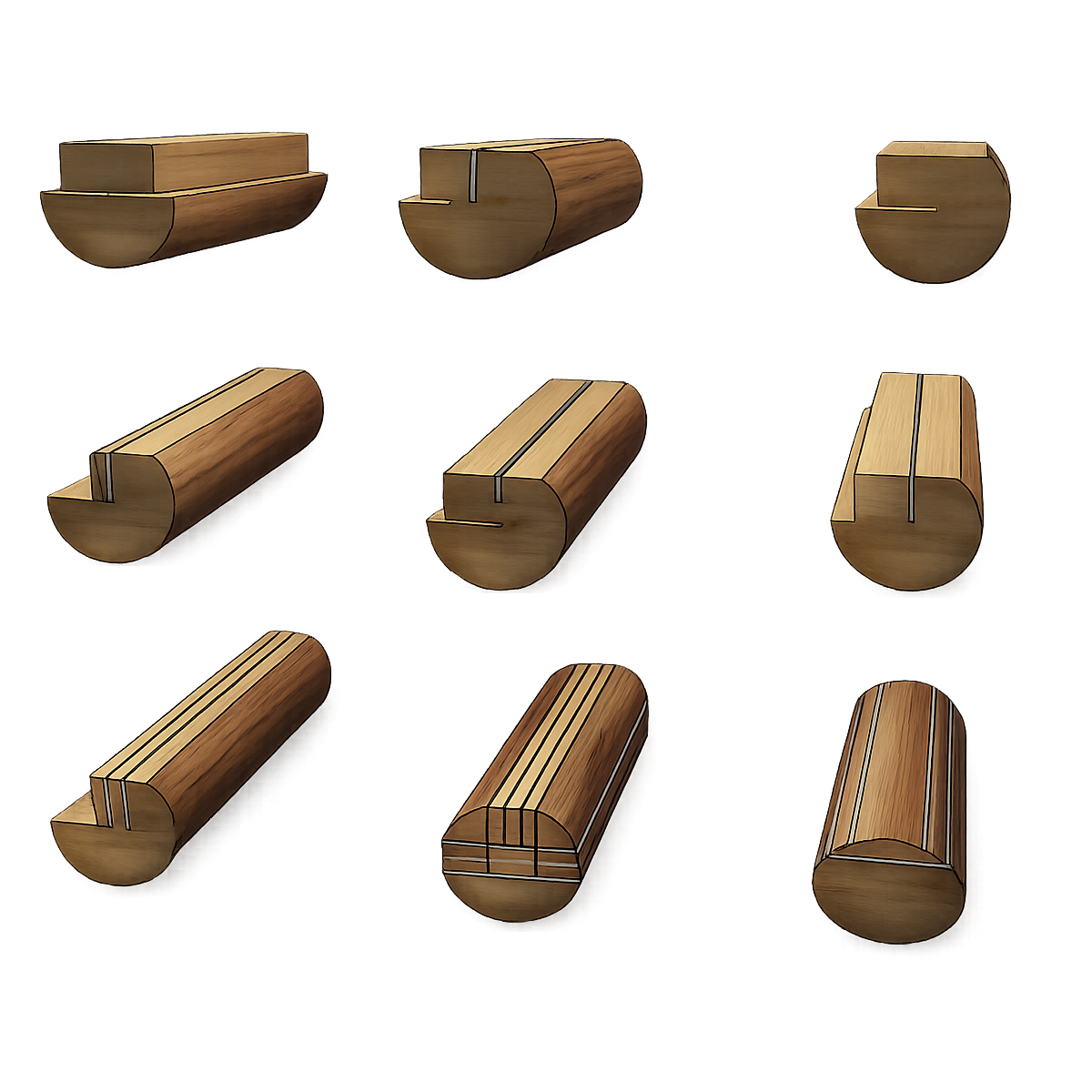
Enlarge all nine cutting patterns ↗
03 / Work with the grain
Quarter saw or flat saw.
Choose the timber you want.
Changing between horizontal and vertical cuts gives you control over how boards are taken from different parts of the log. You can use quarter-sawing and flat-sawing patterns without repeatedly rotating the log.
The colour-coded illustration shows how the board layout changes with the cutting pattern. Choose the arrangement that suits your grain requirements, target dimensions and the timber available.
Plan the product before the first cut. Board size, grain orientation and log shape all influence the most useful cutting pattern.
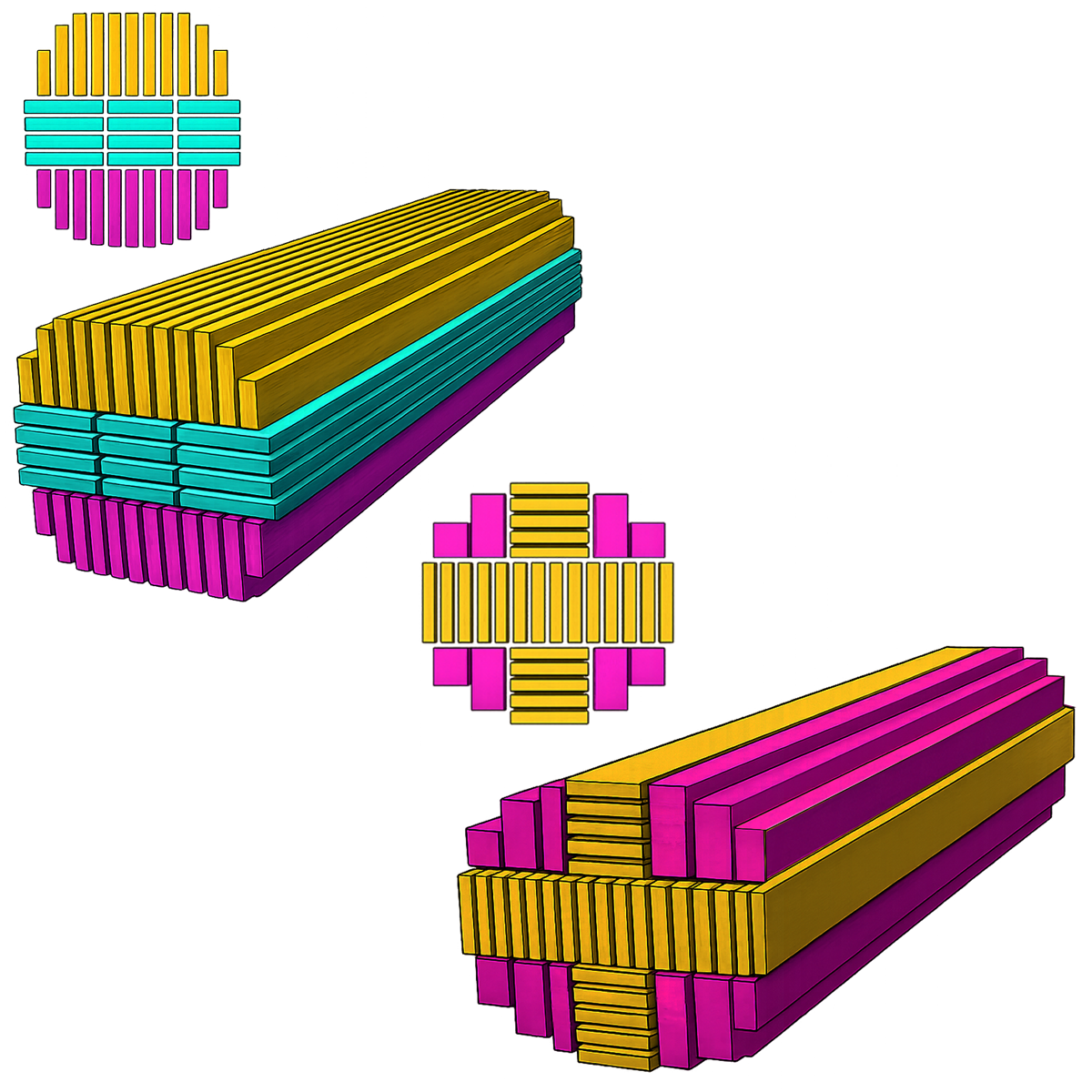
Enlarge the grain-layout diagram ↗
04 / Hardwood and stressed logs
Take smaller bites.
Stay in control of the cut.
Sectional cutting divides a wide cut into smaller passes. In dense hardwood, that gives you a way to reduce the amount of timber engaged by the blade instead of forcing the full width at once.
A single swing blade also lets you change the order of horizontal and vertical cuts when working with internal log stress. You can adapt the cutting pattern as the timber responds.
Flexibility, not a cure for every stressed log. Timber can still move as it is cut. Match the blade, feed rate and cutting sequence to the material, and follow the operating manual.
Enlarge the sectional-cutting illustration ↗
05 / Wide boards and beams
Double cut.
Go wider with the same blade.
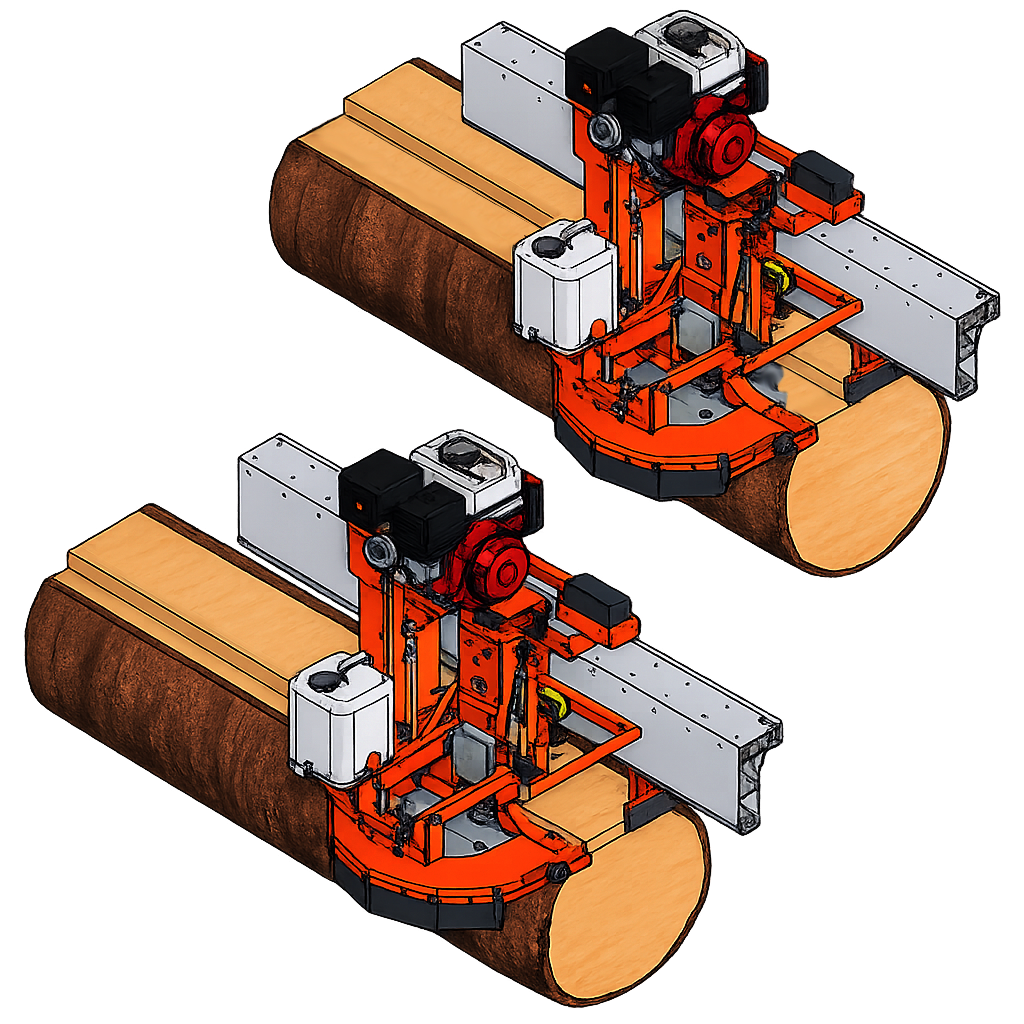
Double cutting joins a horizontal cut from one side of the log with a horizontal cut from the opposite side. The two passes meet to produce timber wider than the blade's normal single-side cutting capacity.
There is no need to lift and reverse the carriage. Set up and operate the mill using the double-cutting procedure for your model.
- M7 PowerSaw
- 14″ Approx. 356 mm
- M10
- 20″ Approx. 508 mm
- M12
- 24″ Approx. 610 mm
Widths shown are double-cut capacities, not the dimensions of a single-pass cut.
06 / One-operator workflow
Make the whole workday
more productive.
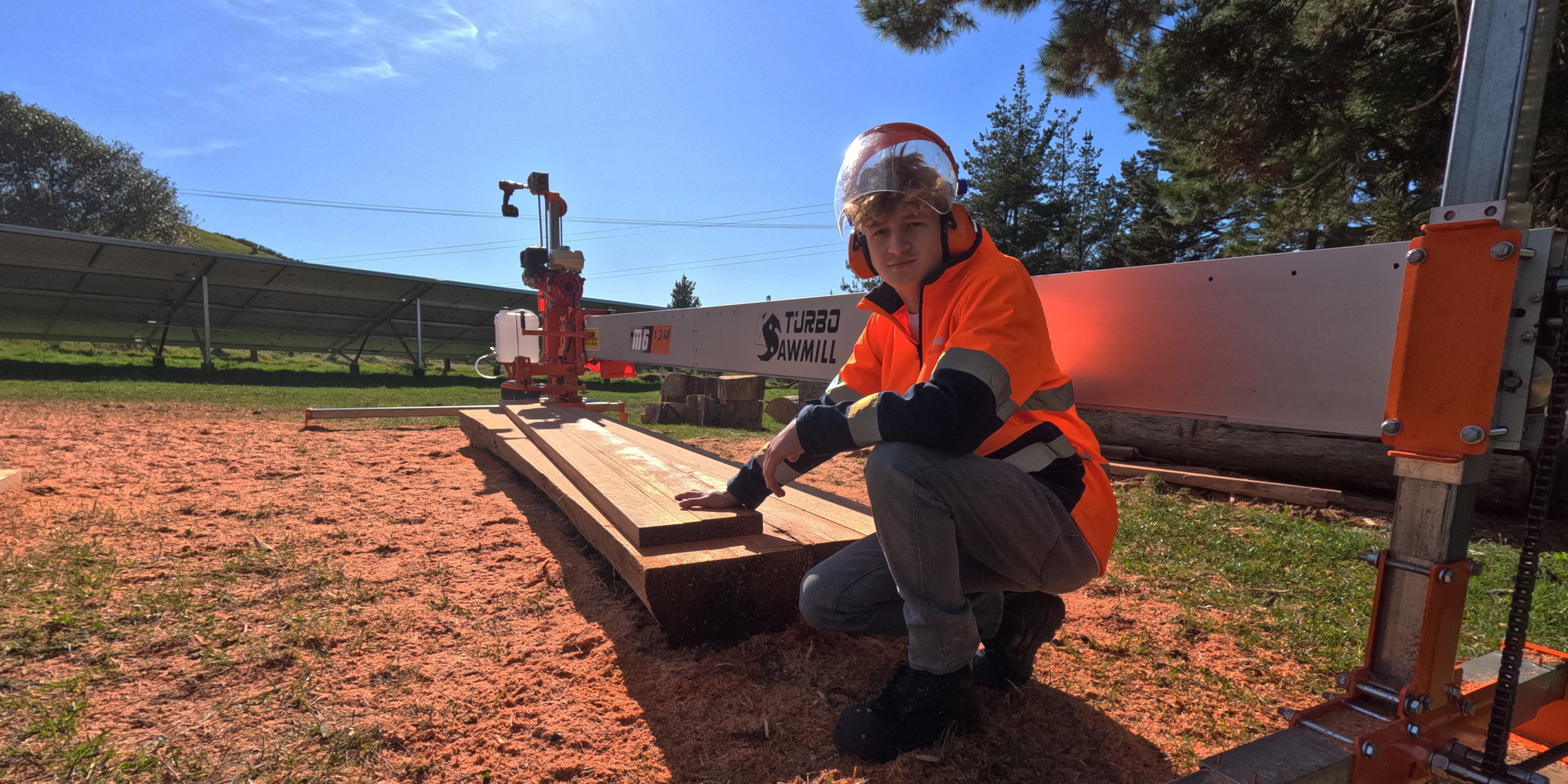
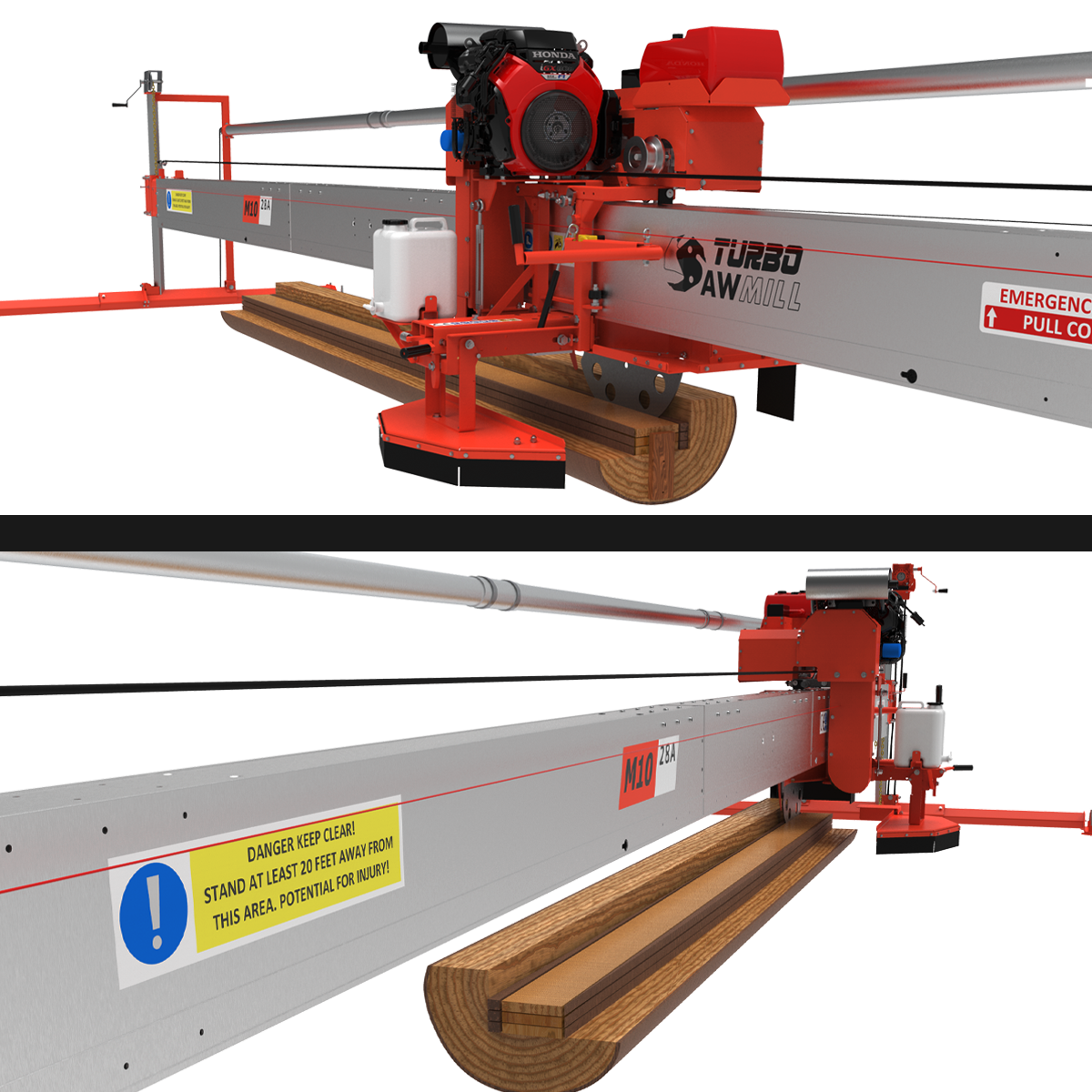
Production is not only about blade speed. It is also about time spent sizing, walking, collecting boards and preparing the next cut. Turbosawmill brings open access and flexible cutting patterns together to simplify that cycle.
- Single-end sizing where fitted
- M10 and M12 sizing controls are at the operator end. The M7 has double-end sizing as standard, with a single-end upgrade available.
- Powered feed and automation
- The M12 uses hydrostatic feed. The M10 can be upgraded from manual operation with an optional power-feed system.
- Organised timber handling
- Plan stacking and collection around the open side so handling does not become the bottleneck.
Automation supports the operator; it does not mean unattended cutting. Actual output depends on the timber, dimensions, setup and handling equipment.
Enlarge the production illustration ↗
07 / Manual control
Move the carriage.
Not a heavy surrounding frame.
The manual carriage runs directly along the monorail beam. The layout is designed to keep the moving assembly compact and give the operator straightforward control of the cut.
The carriage-to-beam connection also supports alignment during vertical cutting. Correct roller adjustment, a sharp blade and an appropriate feed rate remain important for accurate timber.
Start manual. Add capability as you need it. The M10 offers a path to optional powered feed, while the chainsaw-powered M7 keeps the entry-level setup simple.
Explore the M10 manual sawmill and upgrades →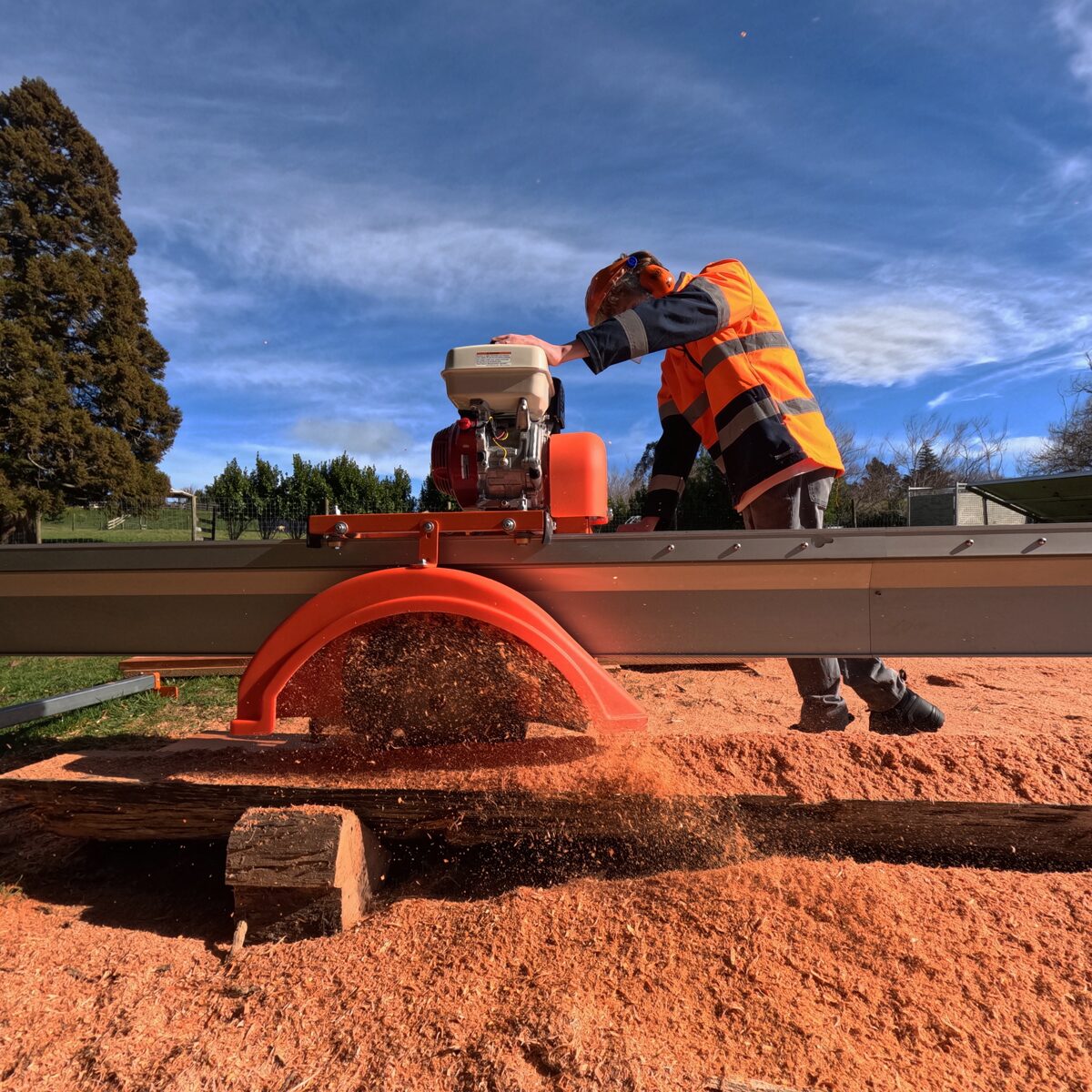
Think about effort over a full day. Carriage weight, rolling resistance and cutting load all affect manual operation.
08 / Recover useful timber
Re-edge and resaw
oversized boards.
Boards with wane, uneven edges or movement after cutting may still contain useful timber. With enough material left for another cut, a suitable resawing setup can bring them closer to the dimensions you need.
The illustration shows edging and thicknessing arrangements using a stable support surface. Plan adequate allowance in the original board size rather than expecting an undersized board to be recovered.
Support and restraint are essential. Follow the model-specific resawing procedure. Do not rely on hand pressure to hold loose material near a moving blade.
Enlarge the resawing diagram ↗
09 / Practical blade maintenance
Sharpen on the mill.
Keep blade care straightforward.
The sharpening system lets you touch up the carbide cutting faces without removing the blade from the mill. Isolate power and follow the supplied sharpening instructions before starting maintenance.
On-saw sharpening
A guided diamond sharpener and your cordless drill make routine sharpening practical at the milling site.
Service the blade you have
Insert-tooth blades allow individual teeth to be replaced. Welded-tooth blades have different servicing requirements. Blade condition and tension still need attention.
10 / Compare the whole process
Swing-blade, bandsaw or twin-blade?
Compare what happens between the cuts as well as during them: log handling, board removal, edging, blade care and the finished timber you need.
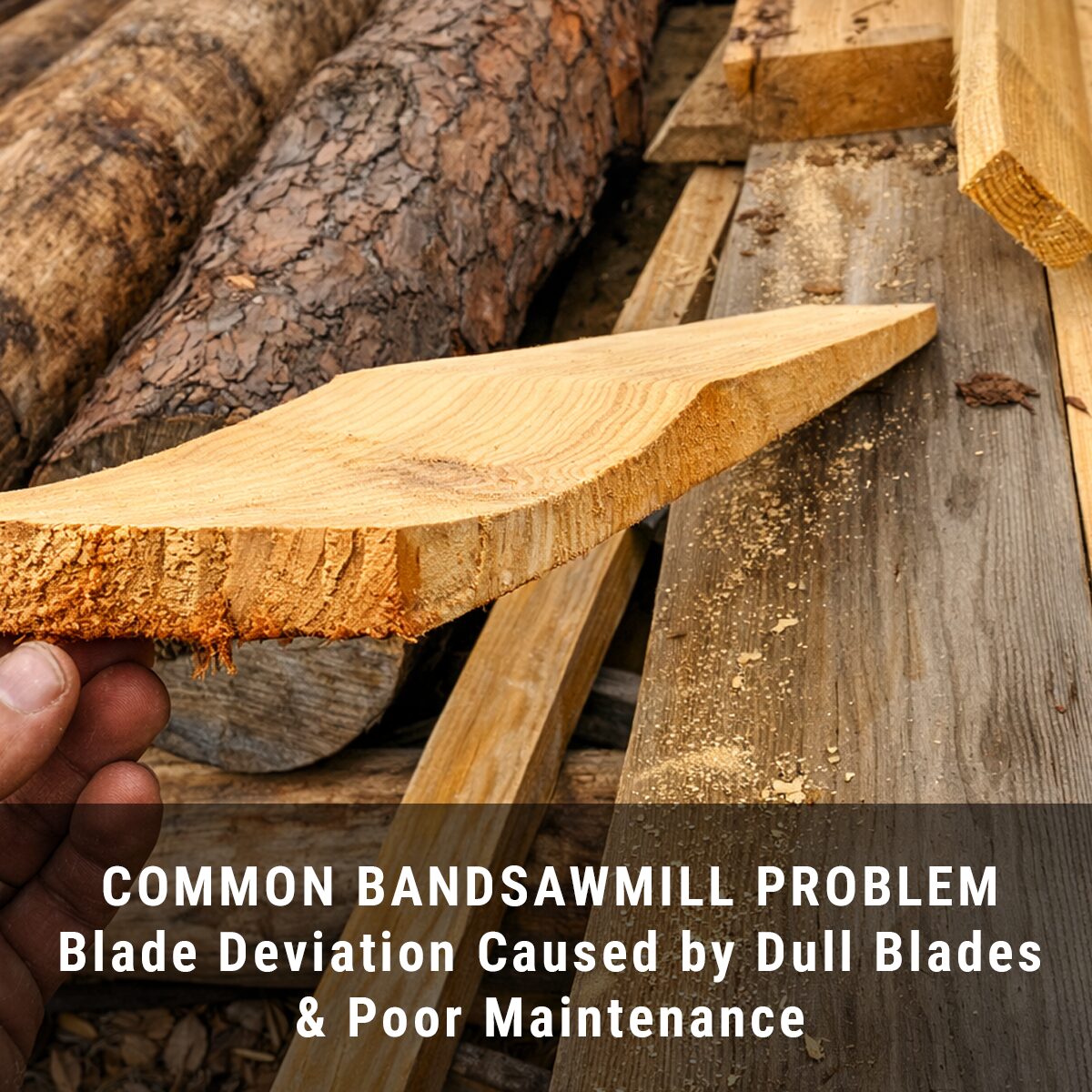
Turbosawmill vs a bandsaw
A bandsaw generally offers a narrower kerf and can cut wide boards within its throat capacity. Turbosawmill focuses on producing edged boards directly from a stationary log, with open-side timber removal.
Compare usable timber and total handling. Consider the product mix, edging work, blade servicing and support equipment—not just the width of the saw cut.
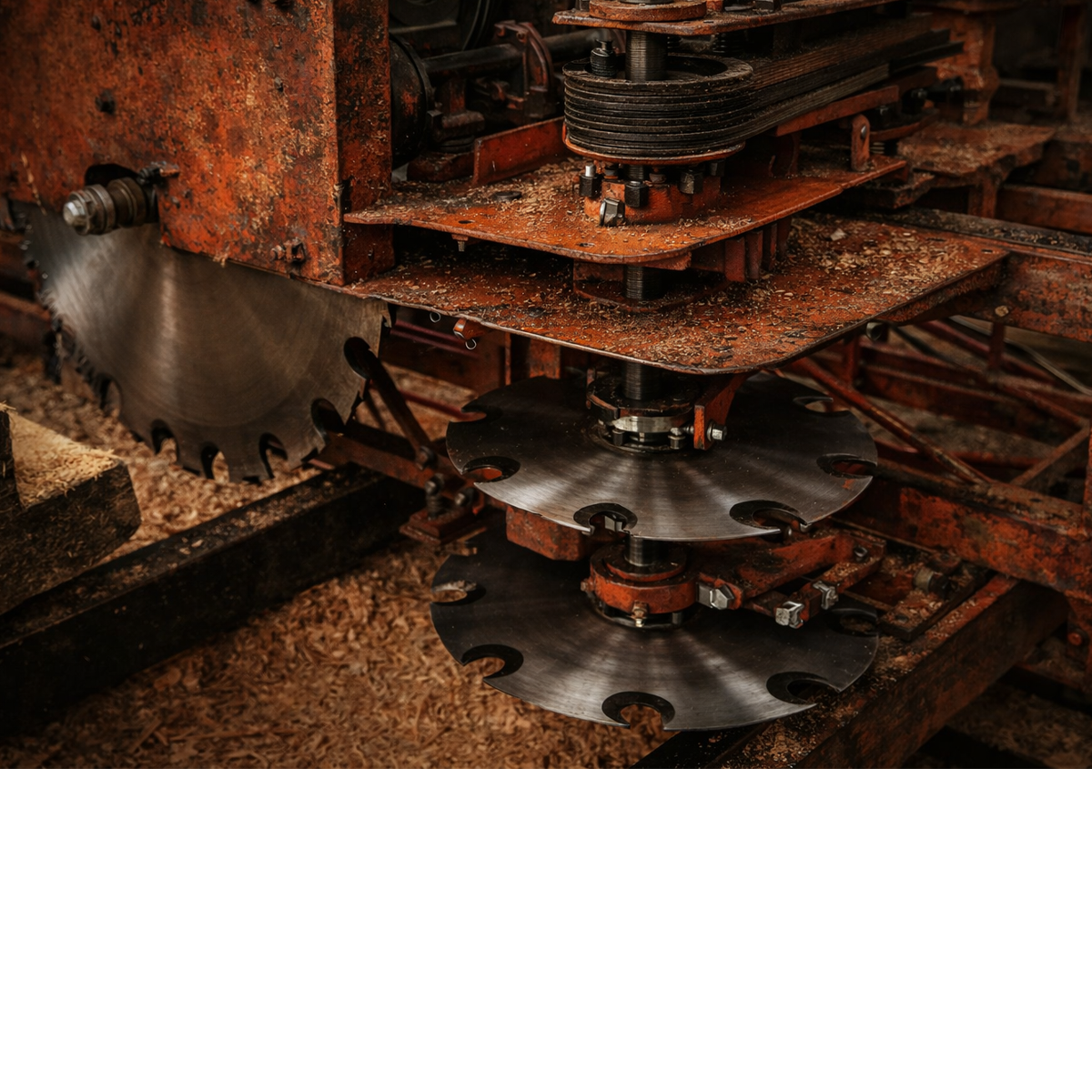
Turbosawmill vs a twin-blade
One swing blade lets you separate horizontal and vertical passes, make sectional cuts and change which face is cut first. That flexibility is useful when the log or finished product calls for a different approach.
Check the exact model in a demonstration. Ask how it handles double cutting, difficult hardwood, log stress and removal of heavy timber.
Comparing other swing-blade mills? Check open-side access, carriage alignment, sizing controls, double-cut procedure and the automation included in the quoted configuration.
Choose your starting point
Three sawmills.
One open-access approach.
Choose around your timber dimensions, worksite and preferred level of automation.
Chainsaw-powered / Manual
M7 PowerSaw
A compact starting point for remote, hobby and small-scale milling using your own compatible chainsaw.
- 7″ × 7″ standard cut
- Approx. 178 × 178 mm.
- Double-end sizing as standard
- Optional single-end sizing upgrade.
Manual / Upgradeable
M10-25M
Manual swing-blade milling with single-end sizing and the option to add powered feed as your workload grows.
- 10″ × 10″ standard cut
- 254 × 254 mm.
- Start manual, add power feed
- Automation is an optional upgrade.
Automated / Production-focused
M12-35A
A larger swing-blade sawmill with hydrostatic feed, single-end sizing and an automated cutting workflow.
- 12″ × 12″ standard cut
- Approx. 305 × 305 mm.
- Additional sizing options
- Optional push-button or computer sizing.
Capacities are nominal. Follow the model links for current specifications, available options and pricing.
Before you choose
Common swing-blade sawmill questions.
Do I need to rotate the log to make boards?
For typical dimensional milling, no. Once the log is securely positioned, the blade changes between horizontal and vertical cuts while the log stays in place. Your cutting pattern and setup must remain within the mill's operating limits.
Can one person operate a Turbosawmill?
The mills are designed around single-operator cutting. That does not mean one person should manually lift every log or beam. Heavy timber may require handling equipment or additional help, and powered operation still requires supervision.
Can a swing-blade sawmill cut dense hardwood?
Yes, with a suitable model, blade and operating setup. Sectional cutting lets you divide a demanding cut into smaller passes. Feed rate, blade sharpness and the condition of the timber remain important.
Can I produce wider live-edge slabs?
Yes. Beyond the circular blade's double-cut capacity, a compatible M10 / M12 slabbing attachment provides a separate way to cut live-edge slabs up to approximately 1.5 m (5 ft) wide. Confirm compatibility and working width for your particular machine and setup.
Are automation and single-end sizing standard on every model?
No. The M7 uses manual feed and double-end sizing as standard, with a single-end sizing upgrade available. The M10 has single-end sizing and can be upgraded with powered feed. The M12-35A provides hydrostatic feed, with additional sizing-control options available.
Your timber. Your worksite. Your sawmill.
Tell us what you want to cut.
Share your timber species, typical log size, largest required board or beam, and delivery location. We will help you choose the model, track length and accessories that suit your work.
Photographs and illustrations include earlier machine configurations. Refer to the individual model pages for current equipment and options. Diagrams explain cutting concepts, not operating procedures. Always follow the current manual, guarding requirements and safe timber-handling practices for your model.
PRICE YOUR SAWMILL
need pricing?
click the link below
Select your mill with accessories, delivery and training.